












Go Paperless for W-2s

Using ADP is the fastest and easiest way to get your 2025 W-2. If you would like to go paperless this year, please make your choice in ADP by December 5, 2025

HOW TO GO PAPERLESS

Step 1: Visit myADP.com and log in. If you do not have an account, please review our ADP guide to get started.

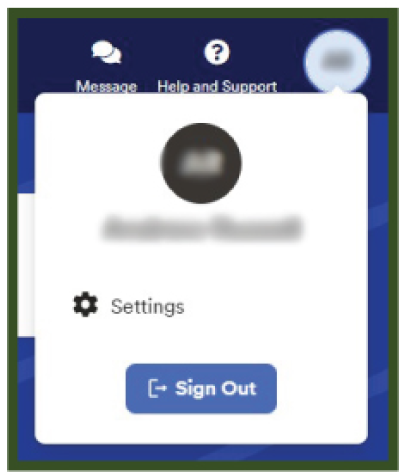
Step 2: On the ADP home screen, click on your initials in the top right corner. Then click Settings.

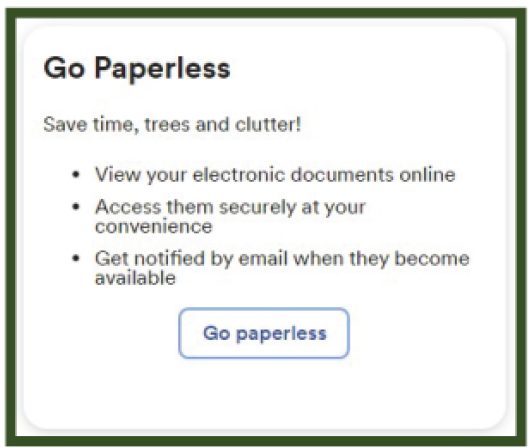
Step 3: Click Go Paperless.

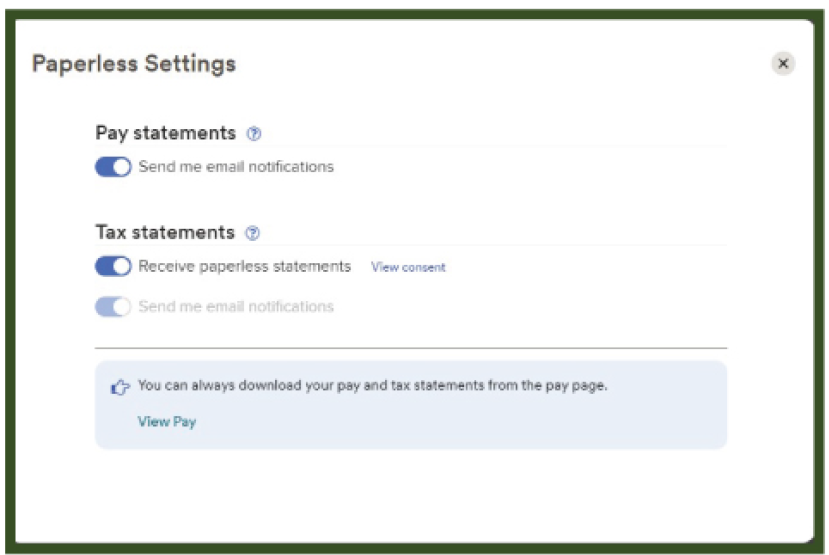
Step 4: Turn on the Tax Statements notifications.

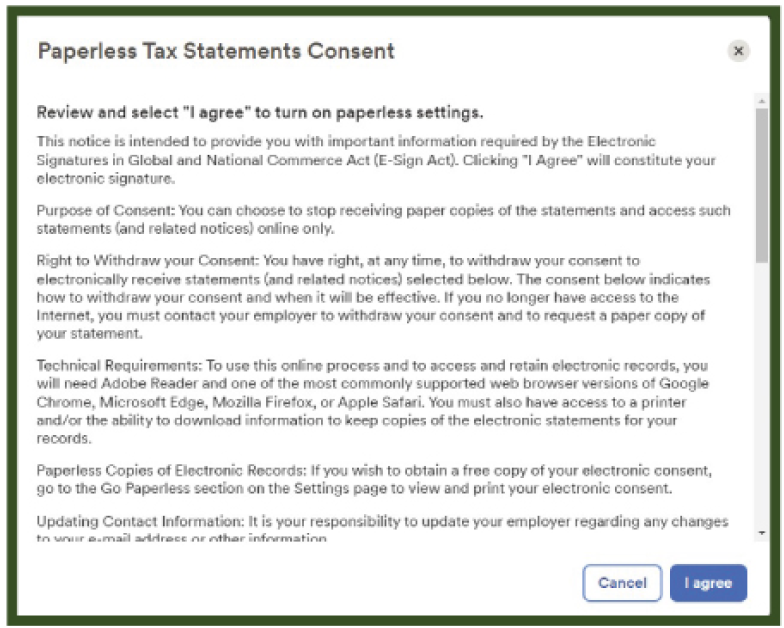
Step 5: Review the Go Paperless Consent. Then click I Agree.


If you do not go paperless, we will mail W-2s to the address we have on file as of December 5, 2025. Please
update your address if you have moved. To update your address, send us an email.

Share post

Related Posts

Go Paperless for W-2s
Our Las Vegas Office Moved!
创建自己的用户反馈调查